


Welcome to the Jungle – Install app and claim Your Bonus Now!
Get up to €500 + 200 Free Spins + 1 Bonus Crab on your first deposit. Start your adventure with a massive welcome package!
INSTALL APPGoKong Casino Mobile App
If you love playing on the go, the GoKong mobile experience is exactly what you need. You do not even have to hunt for a separate GoKong casino app in the stores; everything runs smoothly right in your browser on both Android and iOS.
GoKong on Mobile: PWA and Shortcut Access
You will use GoKong through a mobile-optimised website that behaves like a progressive web app, so pages load fast, and the layout fits perfectly on smaller screens. Instead of a classic GoKong casino application in the store, you simply add our shortcut to your home screen, and it looks and feels like a real app icon.
We also show a special iOS PWA tooltip and smart banner that help you add GoKong to your device with just a couple of taps. So you get the benefits of a GoKong casino app without any download cluttering your storage.
How to Add GoKong to Your Home Screen on Android
On Android, it takes less than a minute to turn GoKong into an “app” icon on your phone. You just do it once, and from then on, you open the casino exactly like any other GoKong casino app Android icon.
Steps on Android:
- Open GoKong in Chrome or your favourite mobile browser and log in.
- Tap the menu with three dots in the top right corner of the browser.
- Scroll the menu and choose “Add to Home screen”.
- Enter the shortcut name, like “GoKong Casino”, then confirm, and the icon appears on your home screen.
Now, every tap on that icon launches GoKong in a full-screen style, just like a native GoKong casino application.
How to Install the GoKong Shortcut on iOS
On iPhone and iPad, you also do not need any GoKong casino iOS app from the App Store; you just save GoKong as a shortcut. It works through Safari and takes a few seconds to set up.
Steps on iOS:
- Open GoKong in Safari and log in to your account.
- Tap the Share icon, the square with an arrow pointing up.
- Scroll the menu and tap “Add to Home Screen”.
- Choose a name for the icon and confirm, and Safari adds GoKong to your home screen.
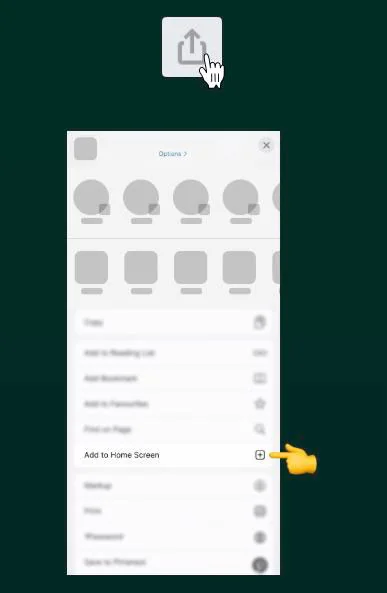
After that, GoKong opens from the icon in a separate window, so it really feels like a standalone GoKong casino app.
Navigating GoKong on Mobile
Let us dig into the actual layout you see when you open the GoKong casino app-style site on your phone. The header shrinks nicely, you get a compact burger menu and quick Login and Register buttons optimised for thumbs.
The main navigation sits in a slide-out sidebar where you can jump straight to Casino, Live Casino, Jackpots, Sports, Live Betting, Virtual Sports, Challenges, Tournaments, Bonus Crab, Shop and VIP levels. So, even on a small screen, you are never more than two taps away from your favourite section inside the Gokong casino application style interface.
| Section | What you get on mobile |
| Casino | Slots, Megaways, Bonus Buys, table games, instant games |
| Live Casino | Roulette, blackjack, baccarat, game shows, and poker tables |
| Jackpots | Hot, lucky, new, daily and all jackpot games |
| Sports | Pre-match betting across top and niche sports |
| Live Betting | In-play odds with live scores and stats |
Casino, Live Casino and Jackpots on Mobile
Once you tap Casino, you get a slick mobile lobby with horizontal category chips like Top, New, Popular, Exclusive, Bonus Buys, Megaways, Live Games, Arcade, Slots, Table Games and All Games. Each game tile is big enough for comfortable tapping and supports demo mode, so you can spin for fun first before betting real money.
In Live Casino, you can filter by Top Live Casino, Roulette, Blackjack, International Tables, Game Shows, Baccarat, Dice and Poker, all fully usable on a phone screen. The Jackpots menu brings you Hot Jackpots, Lucky Jackpots, New Jackpots, Daily Jackpots, Jackpot Play and All Jackpots on mobile too, so you will not miss any huge prize while playing in the GoKong casino app-style layout.
Sports Betting and Live Betting on Mobile
If you prefer to bet on sports, the sportsbook is fully responsive and works perfectly in the GoKong Casino app Android-like view. You can browse Popular Bets, top leagues like Premier League, Serie A and Primeira Liga, plus filters for sports such as football, tennis, basketball, ice hockey, table tennis and more.
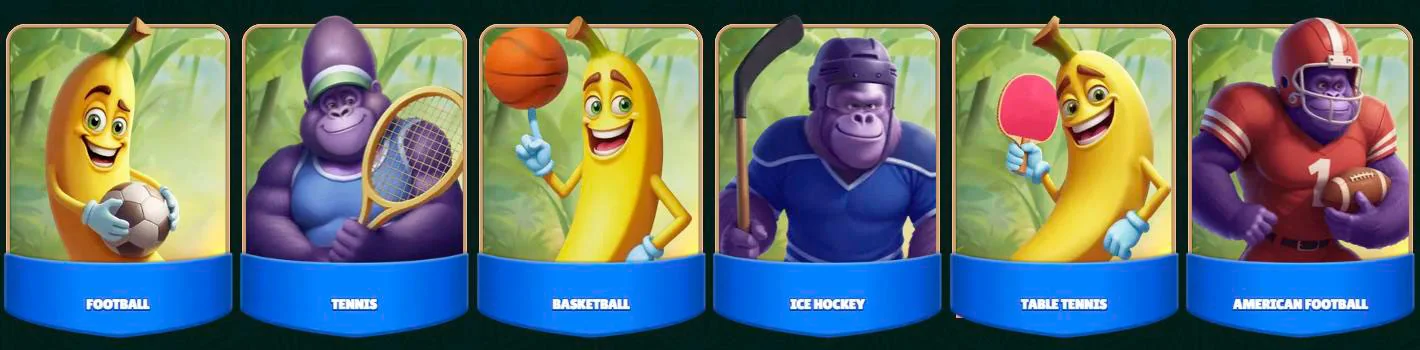
Live Betting gets its own menu item in the sidebar, so you can jump straight to in-play markets with real-time scores and changing odds. The betslip, odds buttons and filters are all optimised for one-hand use, which is exactly what you want from a modern GoKong casino application experience.
Sign Up and Log In via Mobile
You can register and log in directly in the mobile browser; no separate GoKong casino download is needed. At the top of the page, you will see compact “Log in” and “Register” buttons that open mobile-friendly forms.
During registration, you pick your preferred welcome bonus, then fill out your email, password, country and currency, which is set to euro, so your account runs in €. Logging in later is as simple as tapping the icon on your home screen and entering your details, just like in any Gokong casino app.
Mobile sign-up steps:
- Tap “Register” at the top of the mobile page.
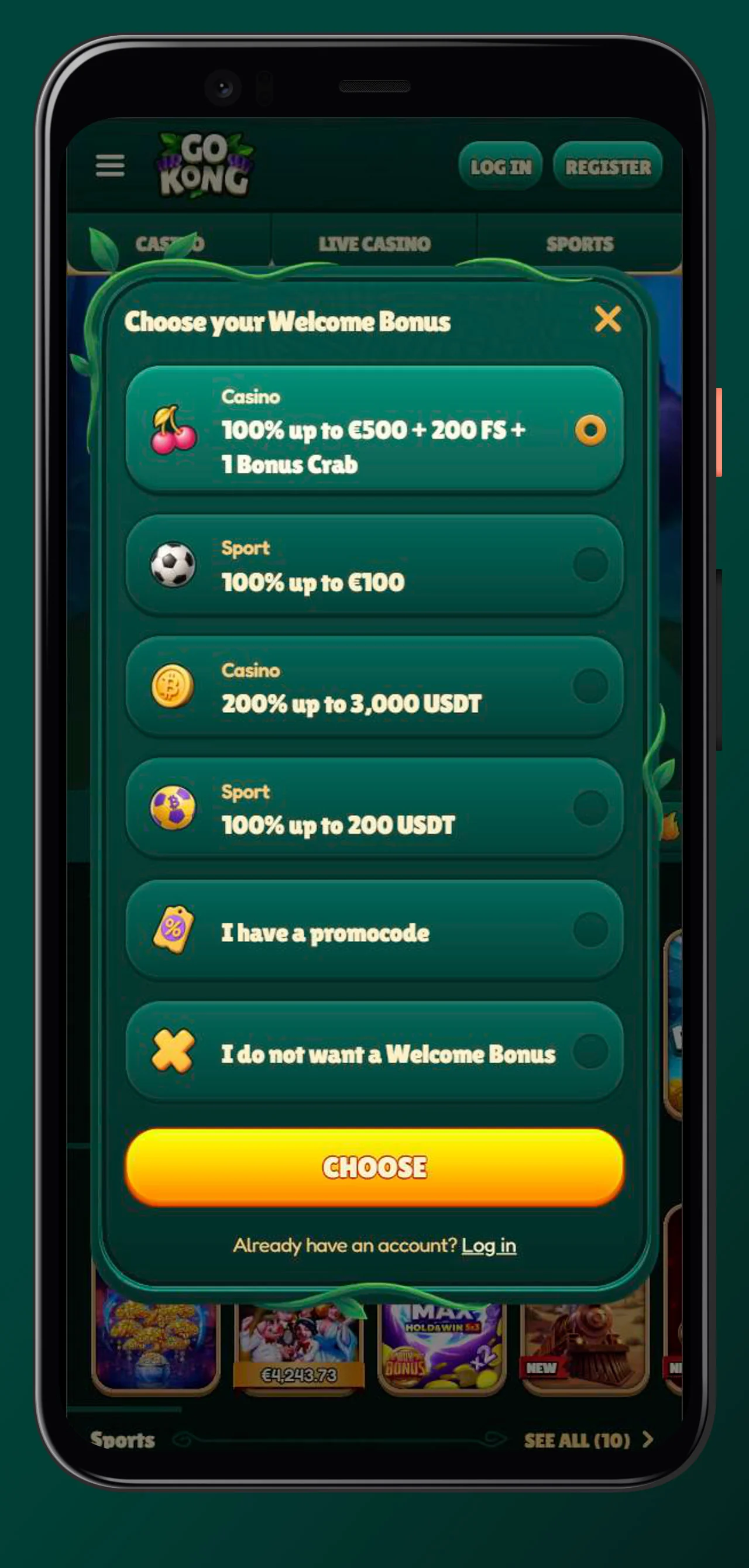
- Choose your welcome offer, for casino, sports or crypto.
- Fill in your account details and confirm to create your profile in a couple of minutes.
Bonuses and Promotions in the Mobile Version
Now, just because you are using the mobile site instead of a native GoKong casino iOS app does not mean you miss out on bonuses. Every promotion you see on desktop is also available on your phone.
From the sidebar, you can access Casino Promotions, Sport Promotions, Challenges, Shop, Tournaments and VIP, all of which work perfectly with the Gokong Casino app style layout. You will also see the main banners for the different welcome bonuses and seasonal offers right on the mobile homepage.
Claiming Welcome Bonus on Mobile
On the mobile homepage, you will see banners for the main welcome deals, including the Casino Welcome Bonus, Sport Welcome Bonus and the Casino Crypto Welcome Bonus. For example, the casino offer gives 100 % up to 500 € plus 200 free spins, the sports offer gives 100 % up to 100 €, and the crypto casino bonus is 200 % up to roughly 3,000 € in USDT equivalent.
To claim them in the Gokong casino application style flow, you just tap the banner, hit “Join now”, register and make a qualifying first deposit in euros with one of the payment methods like Visa, Mastercard or bank transfer. All of that works flawlessly on your phone without any GoKong casino download required.
Tournaments, Challenges and Bonus Crab on Mobile
Another standout on mobile is how easy it is to reach all the gamification features. The sidebar contains separate links for Challenges, Tournaments, Bonus Crab, Shop and VIP levels.
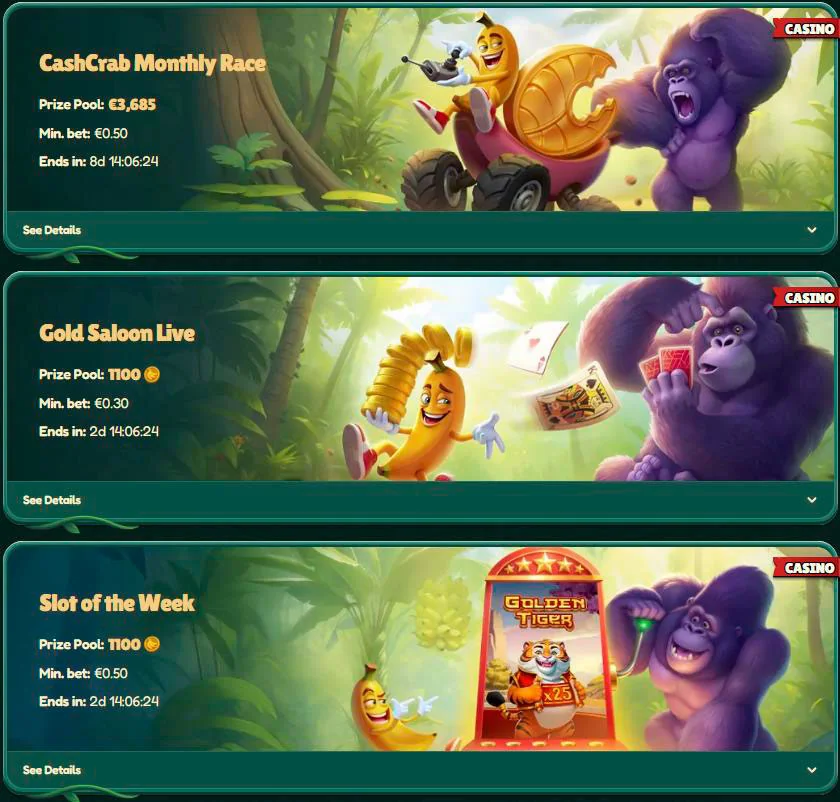
Gamification you can use on mobile:
- Challenges, complete weekly and one-off tasks in the casino and sports to earn coins.
- Tournaments, compete on leaderboards to win cash or coin prize pools.
- Bonus Crab, play the special mini game to grab free spins, real money or bonus funds.
- Shop, exchange collected coins for rewards like free spins and free bets.
Everything opens in mobile-friendly layouts, so the whole experience feels like a full-featured GoKong casino app Android build.
Why Use GoKong on Mobile
Honestly, the big plus of the GoKong mobile setup is that you get a full-featured GoKong casino app experience without installing anything. You just use the browser version, add the shortcut, and you are in.
On top of that, you get:
- Thousands of casino games and a full sportsbook on every device.
- All bonuses, tournaments and the VIP program are available from your phone.
- Euro-based payments with card, bank transfer and plenty of crypto options, all working on mobile.
- 24/7 live chat via the Help Centre link in the footer and in the side menu.
So the bottom line is that the mobile site is the application, and it already does everything a native Go Kong app could do.
Conclusion
Now you know that you do not need a store search or a manual GoKong casino download to play with us on mobile. You only need your browser, a quick shortcut, and you are ready to spin and bet from anywhere.
Whether you are on Android or using an iPhone, our PWA-like setup means fast loading, smooth navigation and full access to games, sports, bonuses and payments. It is genuinely the easiest way to keep GoKong in your pocket without worrying about updates or storage space, just like a modern Go Kong app, an iOS-style solution.
FAQ
You Might Also Like
GoKong Casino Bonuses - Full Guide to All Offers
If you love squeezing extra value out of every spin or bet, GoKong Casino is absolutely your playground. We packed this guide with everything about...
GoKong Casino Login and Registration Guide
If you want to start playing at GoKong Casino, you only need a couple of minutes to register and log in from any device. Let’s walk you through Go...